2016-10-24

Slitaz-x86_64 -- SliTaz base image


SliTaz base image.
https://hub.docker.com/r/slitaz/slitaz-base

docker pull slitaz/slitaz-base

Tag Name        Compressed Size        Last Updated
latest            5 MB                9 days ago
2.19              5 MB                9 days ago
2.13              4 MB                9 days ago

UPDATE:20161019

Tag: 2.19 / latest (glibc-2.19)

slitaz-x86_64 mirror
http://slitaz64.96.lt/packages/

Docker 1.12.1 on slitaz-x86_64
http://slitaz64.96.lt/news/docker-1-12-1/
http://forum.slitaz.org/topic/slitaz-x86_64#post-43393

tux@slitaz:~$ grep -A 6 daemons /var/log/boot.log
      Starting all daemons...
      Setting up kernel security rules...                 [ Done ]
      Starting IPtables firewall: /etc/slitaz/firewall.sh [ Done ]
      Starting SSH server: Dropbear...                    [ Done ]
      Starting httpd daemon: httpd...                     [ Done ]
      Starting ntpd daemon: ntpd...                       [ Done ]
      Starting Docker: docker                             [ Done ]

tux@slitaz:~$ docker version
      Client:
       Version:      1.12.1
       API version:  1.24
       Go version:   go1.6.3
       Git commit:   23cf638
       Built:        Thu Aug 18 17:52:38 2016
       OS/Arch:      linux/amd64

      Server:
       Version:      1.12.1
       API version:  1.24
       Go version:   go1.6.3
       Git commit:   23cf638
       Built:        Thu Aug 18 17:52:38 2016
       OS/Arch:      linux/amd64

2016-10-19

Docker for slitaz-x86_64


Docker for slitaz-x86_64

tux@slitaz:~$ uname -a
Linux slitaz 3.16.36-slitaz64 #1 SMP Fri Oct 7 13:26:22 UTC 2016 x86_64 GNU/Linux

tux@slitaz:~$ docker run hello-world
Unable to find image 'hello-world:latest' locally
latest: Pulling from library/hello-world
c04b14da8d14: Pull complete
Digest: sha256:0256e8a36e2070f7bf2d0b0763dbabdd67798512411de4cdcf9431a1feb60fd9
Status: Downloaded newer image for hello-world:latest

Hello from Docker!
This message shows that your installation appears to be working correctly.


To generate this message, Docker took the following steps:
1. The Docker client contacted the Docker daemon.
2. The Docker daemon pulled the "hello-world" image from the Docker Hub.
3. The Docker daemon created a new container from that image which runs the
executable that produces the output you are currently reading.
4. The Docker daemon streamed that output to the Docker client, which sent it
to your terminal.


To try something more ambitious, you can run an Ubuntu container with:
$ docker run -it ubuntu bash

Share images, automate workflows, and more with a free Docker Hub account:
https://hub.docker.com

For more examples and ideas, visit:
https://docs.docker.com/engine/userguide/


tux@slitaz:~$ docker images
REPOSITORY          TAG                 IMAGE ID            CREATED             SIZE
hello-world         latest              c54a2cc56cbb        3 months ago        1.848 kB

Slitaz-x86_64 -- Docker-1.12.1


Docker 1.12.1

slitaz-docker.iso    69M    https://goo.gl/oRu1Pc
slitaz-docker.md5           https://goo.gl/2BDlcj
  • Up docker (1.12.1).
  • Fixed Reboot system or Shutdown system does not work.
tux@slitaz:~$ grep -A 6 daemons /var/log/boot.log
Starting all daemons...
Setting up kernel security rules...                        [ Done ]
Starting IPtables firewall: /etc/slitaz/firewall.sh        [ Done ]
Starting SSH server: Dropbear...                           [ Done ]
Starting httpd daemon: httpd...                            [ Done ]
Starting ntpd daemon: ntpd...                              [ Done ]
Starting Docker: docker                                    [ Done ]

tux@slitaz:~$ docker version
Client:
Version:      1.12.1
API version:  1.24
Go version:   go1.6.3
Git commit:   23cf638
Built:        Thu Aug 18 17:52:38 2016
OS/Arch:      linux/amd64

Server:
Version:      1.12.1
API version:  1.24
Go version:   go1.6.3
Git commit:   23cf638
Built:        Thu Aug 18 17:52:38 2016
OS/Arch:      linux/amd64


What's New in Docker 1.12

Overview of new features
  • Orchestration
    • Swarm mode
    • Docker services
    • Secure by default
    • Networking
  • Live Restore
  • Container Healthchecks
  • Plugin Improvements

2016-10-15

Slitaz-x86_64 -- slitaz64.96.lt


SliTaz-x86_64

Welcome to SliTaz-x86_64.

Kernel 3.16.36
Glibc-2.19
slitaz-toolchain
* Binutils 2.25
* Linux API headers 3.16.36
* GCC 4.9.2
* Glibc 2.19

SliTaz GNU/Linux

Distro: rolling-core64

Description: 64 bits kernel with a fully featured 32 bits desktop.


Slitaz-x86_64 -- mirror


slitaz-x86_64 mirror

mirror:
http://slitaz64.96.lt/packages/


root@slitaz:~# spk info

Spk info
================================================================================
Architecture : x86_64
Database : /var/lib/tazpkg/installed
Cache info : 0 /var/cache/tazpkg
Mirror URL : http://slitaz64.96.lt/packages/
Extra mirrors : 0
Installed : 266
Mirrored : 963
================================================================================

root@slitaz:~# tazpkg -lm | tail -2
963 packages in the last recharged list.

Slitaz-x86_64 -- ISO


slitaz-x86_64 ISO

Download

slitaz-x86_64.iso    51M     https://goo.gl/tRL8SV
slitaz-x86_64.md5            https://goo.gl/lExP1X 

slitaz-docker.iso    64M     https://goo.gl/oRu1Pc
slitaz-docker.md5            https://goo.gl/2BDlcj
 
Known Issues
  • Can’t connect to display: (null).
  • slitaz-docker: Reboot system or Shutdown system does not work.
    Temporary fixes use ‘reboot -f’ or ‘poweroff -f’.

2016-10-13

Slitaz-x86_64 -- Docker 1.11.0


Docker 1.11.0

Kernel Version: 3.16.36-slitaz64
Operating System: SliTaz GNU/Linux 5.0
OSType: linux
Architecture: x86_64


1.
tux@slitaz:~$ uname -a
Linux slitaz 3.16.36-slitaz64 #1 SMP Fri Oct 7 13:26:22 UTC 2016 x86_64 GNU/Linux


2.
tux@slitaz:~$ dmesg | grep gcc
Linux version 3.16.36-slitaz64 (root@slitaz) (gcc version 4.9.2 (SliTaz) ) #1 SMP Fri Oct 7 13:26:22 UTC 2016


3.
tux@slitaz:~$ docker version
Client:
Version: 1.11.0
API version: 1.23
Go version: go1.5.4
Git commit: 4dc5990
Built: Wed Apr 13 19:36:04 2016
OS/Arch: linux/amd64

Server:
Version: 1.11.0
API version: 1.23
Go version: go1.5.4
Git commit: 4dc5990
Built: Wed Apr 13 19:36:04 2016
OS/Arch: linux/amd64


4.
tux@slitaz:~$ docker info
Containers: 0
Running: 0
Paused: 0
Stopped: 0
Images: 0
Server Version: 1.11.0
Storage Driver: aufs
Root Dir: /var/lib/docker/aufs
Backing Filesystem: tmpfs
Dirs: 0
Dirperm1 Supported: true
Logging Driver: json-file
Cgroup Driver: cgroupfs
Plugins:
Volume: local
Network: bridge null host
Kernel Version: 3.16.36-slitaz64
Operating System: SliTaz GNU/Linux 5.0
OSType: linux
Architecture: x86_64

CPUs: 2
Total Memory: 7.676 GiB
Name: slitaz
ID: ZVTG:YNGI:37TW:TOBM:HVHR:FBID:5YAF:U62V:ZVYC:CK73:7APJ:5SLM
Docker Root Dir: /var/lib/docker
Debug mode (client): false
Debug mode (server): false
Registry: https://index.docker.io/v1/
tux@slitaz:~$

2016-10-10

Slitaz-x86_64 -- slitaz-toolchain-x86_64

slitaz-toolchain-x86_64


1.
root@slitaz:/home/tux# gcc -v
Using built-in specs.
COLLECT_GCC=gcc
COLLECT_LTO_WRAPPER=/usr/lib/gcc/x86_64-slitaz-linux/4.9.2/lto-wrapper
Target: x86_64-slitaz-linux
Configured with: /home/slitaz/wok/gcc/source/gcc-4.9.2/configure --libexecdir=/usr/lib --enable-nls --enable-languages=c,c++ --enable-shared --with-system-zlib --enable-clocale=gnu --enable-__cxa_atexit --enable-lto --enable-threads=posix --disable-bootstrap --disable-multilib --libdir=/usr/libgcc --with-tune=generic --with-pkgversion=SliTaz --build=x86_64-slitaz-linux --host=x86_64-slitaz-linux
Thread model: posix
gcc version 4.9.2 (SliTaz)


2.
root@slitaz:/home/tux# grep -E 'binutils|gcc|glibc' /var/lib/tazpkg/installed.md5
b09c911f2649bd9391147e679d86735a  gcc-lib-base-4.9.2-x86_64.tazpkg
520ba50265bdc3eebfe08357143a78ff  glibc-base-2.19-x86_64.tazpkg
1f3675654a4da1b400c3077972a67629  binutils-2.25-x86_64.tazpkg
8c46400cd9372061a2d0a4322af5f889  glibc-2.19-x86_64.tazpkg
a6f26347d511724b79453da6f6df49a5  glibc-locale-2.19-x86_64.tazpkg
28775d9398c7333330c1ffc739b65194  glibc-dev-2.19-x86_64.tazpkg
42f367d52637f481925386dae74ab7cc  gcc-4.9.2-x86_64.tazpkg


3.
root@slitaz:/home/tux# cat /usr/share/doc/slitaz/toolchain.txt
SliTaz GNU/Linux toolchain
================================================================================

Build date   : 2016-09-03
Architecture : x86_64
Build system : x86_64-slitaz-linux
Host  system : x86_64-slitaz-linux

Packages:

    * Binutils 2.25
    * Linux API headers 3.16.36
    * GCC 4.9.2
    * Glibc 2.19

Toolchain documentation: http://doc.slitaz.org/en:cookbook:toolchain

================================================================================

root@slitaz:/home/tux#

Slitaz-x86_64 -- docker - Check kernel dependencies


Check runtime dependencies

 
To run properly, docker needs the following software to be installed at runtime:
  • iptables version 1.4 or later
  • Git version 1.7 or later
  • procps (or similar provider of a “ps” executable)
  • XZ Utils 4.9 or later
  • a properly mounted cgroupfs hierarchy (having a single, all-encompassing “cgroup” mount point is not sufficient)

Check kernel dependencies

Docker in daemon mode has specific kernel requirements. For details, check your distribution in Installation.

A 3.10 Linux kernel is the minimum requirement for Docker. Kernels older than 3.10 lack some of the features required to run Docker containers. These older versions are known to have bugs which cause data loss and frequently panic under certain conditions.

The latest minor version (3.x.y) of the 3.10 (or a newer maintained version) Linux kernel is recommended. Keeping the kernel up to date with the latest minor version will ensure critical kernel bugs get fixed.
Warning: Installing custom kernels and kernel packages is probably not supported by your Linux distribution’s vendor. Please make sure to ask your vendor about Docker support first before attempting to install custom kernels on your distribution.
Warning: Installing a newer kernel might not be enough for some distributions which provide packages which are too old or incompatible with newer kernels.
Note that Docker also has a client mode, which can run on virtually any Linux kernel (it even builds on OS X!).

2016-10-08

Slitaz-x86_64 -- Longterm release kernels


System Infomation - HardInfo 0.5.1

Operating System
-Version-
Kernel                            : Linux 3.16.36-slitaz64 (x86_64)
Compiled                       : #2 SMP Mon Sep 12 07:26:30 UTC 2016
C Library                        : GNU C Library version 2.19 (stable)
Default C Compiler         : Unknown
Distribution                    : Slitaz GNU/Linux cooking

-Current Session-
Computer Name             : slitaz
User Name                     : tux (SliTaz User)
Home Directory              : /home/tux
Desktop Environment    : Unknown (Window Manager: Openbox)

-Misc-
Uptime                          : 2 hours, 11 minutes
Load Average                 : 0.05, 0.09, 0.06


Longterm release kernels

Version
Maintainer
Released
Projected EOL
         3.16          Ben Hutchings         2014-08-03         Apr, 2020


glibc-2.19-x86_64
 
tux@slitaz:~$ uname -a
Linux slitaz 3.16.36-slitaz64 #2 SMP Mon Sep 12 07:26:30 UTC 2016 x86_64 GNU/Linux

tux@slitaz:~$ file /lib64/libc-2.19.so
/lib64/libc-2.19.so: ELF 64-bit LSB shared object, x86-64, version 1 (GNU/Linux), dynamically linked (uses shared libs), for GNU/Linux 2.6.30, stripped

tux@slitaz:~$ /lib64/libc-2.19.so
GNU C Library (GNU libc) stable release version 2.19, by Roland McGrath et al.
Copyright (C) 2014 Free Software Foundation, Inc.
This is free software; see the source for copying conditions.
There is NO warranty; not even for MERCHANTABILITY or FITNESS FOR A
PARTICULAR PURPOSE.
Compiled by GNU CC version 4.9.2.
Compiled on a Linux 3.16.36 system on 2016-09-08.

Available extensions:
crypt add-on version 2.1 by Michael Glad and others
GNU Libidn by Simon Josefsson
Native POSIX Threads Library by Ulrich Drepper et al
BIND-8.2.3-T5B
libc ABIs: UNIQUE IFUNC
For bug reporting instructions, please see:
.
tux@slitaz:~$

2016-10-04

slitaz-x86_64

slitaz-x86_64


Kernel 3.16.36

Glibc-2.19

slitaz-toolchain
    * Binutils 2.25
    * Linux API headers 3.16.36
    * GCC 4.9.2
    * Glibc 2.19


Slitaz -- justx-x86_64 flavors


> Slitaz has 64-bit kernel only, no 64-bit libraries or programs.

justx-3.16.36-x86_64


gtk-demo & X


glibc-2.19


2016-05-10

Slitaz-x86_64 status


> do you know when a full-64bits image will appear?
> with no-only a x64 kernel, with packages also
I'm afraid that it will never happen... The SliTaz development is almost completely frozen.


1. slitaz-rolling-base64.iso
http://forum.slitaz.org/topic/64-bit-version/page/2#post-35725
It is a live cd (based on base flavor) with a 64 bits kernel and a fully featured 64 bits environment (no desktop). You can download it on https://googledrive.com/host/0B7R739rLD0ezWFJyOTFEM1pGa0U/iso/slitaz-rolling-base64.iso.

2. slitaz-toolchain-x86_64
http://forum.slitaz.org/topic/64-bit-version/page/2#post-35764
2.
root@slitaz:~# gcc -v
Using built-in specs.
COLLECT_GCC=gcc
COLLECT_LTO_WRAPPER=/usr/lib64/gcc/x86_64-slitaz-linux/4.7.0/lto-wrapper
Target: x86_64-slitaz-linux
Configured with: /home/slitaz/wok/gcc/source/gcc-4.7.0/configure --libdir=/usr/lib64 --libexecdir=/usr/lib64 --enable-nls --enable-languages=c,c++ --enable-shared --with-system-zlib --enable-clocale=gnu --enable-objc-gc --enable-__cxa_atexit --enable-lto --enable-threads=posix --disable-bootstrap --disable-multilib --with-pkgversion='SliTaz x86_64' --build=x86_64-slitaz-linux --host=x86_64-slitaz-linux
Thread model: posix
gcc version 4.7.0 (SliTaz x86_64)

3. 
root@slitaz:~# grep -e gcc -e glibc -e binutil /var/lib/tazpkg/installed.md5
ed7e640faa25b649a1982e15a5b50e0a  glibc-base-2.14.1-x86_64.tazpkg
3fd4cd98098c520228de91634a00ebed  gcc-lib-base-4.7.0-x86_64.tazpkg
244eb9492ea14927dd702c8c14765136  binutils-2.23.1-x86_64.tazpkg
312a13d0e6f76db4bdc8e60b6fa4e65f  glibc-2.14.1-x86_64.tazpkg
1bafe2146ae7df8af010c76209dee697  glibc-locale-2.14.1-x86_64.tazpkg
3f3e451a423191d147d0275653c487f9  glibc-extra-samba-2.14.1-x86_64.tazpkg
e0c9b45a48ce73d3dcc69e5d5ca0d726  glibc-dev-2.14.1-x86_64.tazpkg
c615bb41bd59991d2317743f804e1a98  gcc-4.7.0-x86_64.tazpkg
3. cook package
5.
root@slitaz:~# cook zlib
Setup aufs chroot...
Cook: zlib 1.2.8
================================================================================
QA: checking package receipt...
Connecting to switch.dl.sourceforge.net (130.59.112.131:80)
[..]
Package: zlib-1.2.8-x86_64.tazpkg
Summary for: zlib 1.2.8
================================================================================
Source dir : 4.1M
Src file : zlib-1.2.8.tar.xz
Src size : 444.0K
Produced : 384.0K
Packed : 124.0K
Compressed : 40.0K
Files : 3
Cook time : 7s
Cook date : 2015-01-23 12:52
Host arch : x86_64
================================================================================

4. docker slitaz/slitaz-base image
Pull this repository: docker pull slitaz/slitaz-base
http://forum.slitaz.org/topic/slitaz-docker-support/page/2#post-35186

slitaz/rolling-base image
Pull this repository : docker pull slitaz/rolling-base
http://forum.slitaz.org/topic/slitaz-docker-support/page/2#post-37030
 

2016-02-24

hidden file/directory


hidden file/directory

if [ ! -d /home/$USER ]; then
mkdir -p /home/$USER
cp -a /etc/skel/* /home/$USER

chown -R $USER:users /home/$USER
fi


should be "cp -a /etc/skel /home/$USER"


1.
root@slitaz:~ # mkdir -p /home/test

root@slitaz:~ # cp -a /etc/skel/* /home/test

root@slitaz:~ # ls -a /home/test
. Desktop Downloads Music Templates
.. Documents Images Public Videos


2.
root@slitaz:~ # ls -a /etc/skel
. Documents .isomaster Templates
.. Downloads .local Videos
.bashrc .gtk-bookmarks .mhwaveedit .Xdefaults
.cache .gtkrc-2.0 Music .xinitrc
.config .gtkrc-2.0.mine .profile .Xresources
Desktop Images Public .xsession


3.
root@slitaz:~ # cp -a /etc/skel /home/temp

root@slitaz:~ # ls -a /home/temp
. Documents .isomaster Templates
.. Downloads .local Videos
.bashrc .gtk-bookmarks .mhwaveedit .Xdefaults
.cache .gtkrc-2.0 Music .xinitrc
.config .gtkrc-2.0.mine .profile .Xresources
Desktop Images Public .xsession
root@slitaz:~ #

SliTaz Live USB - Version: 186

SliTaz Live USB - Version: 186


slitaz-rolling-core64.iso 2016-Feb-21 02:11:19

the same as before
Failed to execute login command
login: can't change directory to '/home/tux/'
ls: /home/tux: No such file or directory
tux@slitaz:/$ tazusb | head -1
SliTaz Live USB - Version: 186

2016-02-19

tazusb writefs lzma


Failed to execute login command

login: can't change directory to '/home/tux/'

ls: /home/tux: No such file or directory


1. boot from slitaz-rolling-core64.iso (2016-Feb-14 20:42:57)


2. rootfs.gz: # tazusb writefs lzma
bzImage64: extract from slitaz-rolling-core64.iso


3. autologin gui mode
Failed to execute login command


4. login text mode
login: can't change directory to '/home/tux/'

tux@slitaz:/$ ls -l /home/tux
ls: /home/tux: No such file or directory


2016-02-16

slitaz-rolling-core64.iso 2016-Feb-14 20:42:57


slitaz-rolling-core64.iso 2016-Feb-14 20:42:57


1.
Activity
http://cook.slitaz.org/cookiso.cgi

2016-02-14 19:30 : Building rolling core64
2016-02-14 19:20 : Building rolling core
2016-02-14 19:04 : Building rolling core-4in1
2016-02-14 19:02 : Building rolling preinit
2016-02-14 19:02 : Rolling tracking for changes
2016-02-14 01:59 : Building rolling core64
2016-02-14 01:48 : Building rolling core
2016-02-14 00:57 : Building rolling core-4in1
2016-02-14 00:51 : Building rolling preinit
2016-02-14 00:51 : Rolling tracking for changes

+58969a5001f853de176b30b3edf1ab53  linux64-3.2.71.tazpkg

2.
tux@slitaz:~$ uname -a
Linux slitaz 3.2.71-slitaz64 #2 SMP Sat Feb 13 22:41:08 Europe 2016 x86_64 GNU/Linux


3.
tux@slitaz:~$ lsmod
Module Size Used by Not tainted
ipv6 226481 13
ppdev 4870 0
floppy 49327 0
parport_pc 17570 0
parport 26967 2 ppdev,parport_pc
e1000 86267 0
button 4167 0

tux@slitaz:~$ ls -l /lib/modules/3.2.71-slitaz64/modules.dep
-rw-r--r-- 1 root root 75825 Feb 14 19:35 /lib/modules/3.2.71-slitaz64/modules.dep


4.
tux@slitaz:~$ lspci -v | tail -9
00:03.0 Ethernet controller: Intel Corporation 82540EM Gigabit Ethernet Controller (rev 03)
Subsystem: Red Hat, Inc QEMU Virtual Machine
Flags: bus master, fast devsel, latency 0, IRQ 11
Memory at febc0000 (32-bit, non-prefetchable) [size=128K]
I/O ports at c000 [size=64]
Expansion ROM at feb80000 [disabled] [size=256K]
Kernel driver in use: e1000

tux@slitaz:~$


5.
Setup aufs chroot...
http://cook.slitaz.org/cooker.cgi?pkg=linux

Cook: linux64 3.2.71
================================================================================
QA: checking package receipt...
Disabling -pipe compile flag: 332888 RAM free
================================================================================


Pack: linux64 3.2.71
================================================================================
Executing: genpkg_rules

Checking for modules selected in .config but not in linux-* pkgs
======================================================================
Orphan module: virtio.ko.xz
Orphan module: virtio_ring.ko.xz
Orphan module: virtio_console.ko.xz
Orphan module: i2c-dev.ko.xz
Orphan module: cpuid.ko.xz
======================================================================
Check linux/tmp/unpackaged-modules-3.2.71.list for mod path

Copying "receipt"... Done
Executing strip on all files... Done
Creating the list of files... Done
Creating md5sum of files... Done
Compressing the FS... Done
Updating receipt sizes... Done
Creating full cpio archive... Done
Restoring original package tree... Done
QA: checking for empty package... Done
Removing old package "linux64-3.2.71.tazpkg" Done
================================================================================
Package "linux64-3.2.71.tazpkg" created

Summary for: linux64 3.2.71
================================================================================
Source dir : 20.0K
Packed : 9.0M
Compressed : 6.2M
Files : 309
Cook time : 335s ~ 6m
Cook date : 2016-02-14 02:08
Host arch : i486
================================================================================

Leaving aufs chroot...

2016-02-14

ifconfig: SIOCGIFFLAGS: No such device -- core64


ifconfig: SIOCGIFFLAGS: No such device

slitaz-rolling-core64.iso 2016-Feb-14


1.
Loading network settings from /etc/network.conf
[0;33mSetting hostname to: slitaz [0m[ Done
[0;33mConfiguring loopback... [0m[ Done
ifconfig: SIOCGIFFLAGS: No such device
Starting udhcpc client on: eth0...
udhcpc: SIOCGIFINDEX: No such device

Processing: /etc/init.d/local.sh
Starting X environment...
Starting message bus daemon: DBUS... [ Done
Starting all daemons...
Setting up kernel security rules... [ Done
WARNING: IPtables rules are disabled
Starting inetd deamon: inetd... [ Done
Starting ntpd deamon: ntpd... ntpd: bad address 'pool.ntp.org'
[ Done

Welcome to your box


2.
tux@slitaz:~$ grep RC4 /media/cdrom/boot/isolinux/isolinux.cfg
MENU TITLE SliTaz GNU/Linux - 5.0-RC4 20160214


3.
tux@slitaz:~$ ifconfig eth0
ifconfig: eth0: error fetching interface information: Device not found


tux@slitaz:~$ lspci -v | grep -A7 Ethernet
00:03.0 Ethernet controller: Intel Corporation 82540EM Gigabit Ethernet Controller (rev 03)
Subsystem: Red Hat, Inc QEMU Virtual Machine
Flags: fast devsel, IRQ 11
Memory at febc0000 (32-bit, non-prefetchable) [size=128K]
I/O ports at c000 [size=64]
Expansion ROM at feb80000 [disabled] [size=256K]


4.
tux@slitaz:~$ lsmod
Module Size Used by Not tainted

tux@slitaz:~$ ls -l /lib/modules/3.2.71-slitaz64/modules.dep
-rw-r--r-- 1 root root 0 Feb 14 01:59 /lib/modules/3.2.71-slitaz64/modules.dep
tux@slitaz:~$

2016-02-13

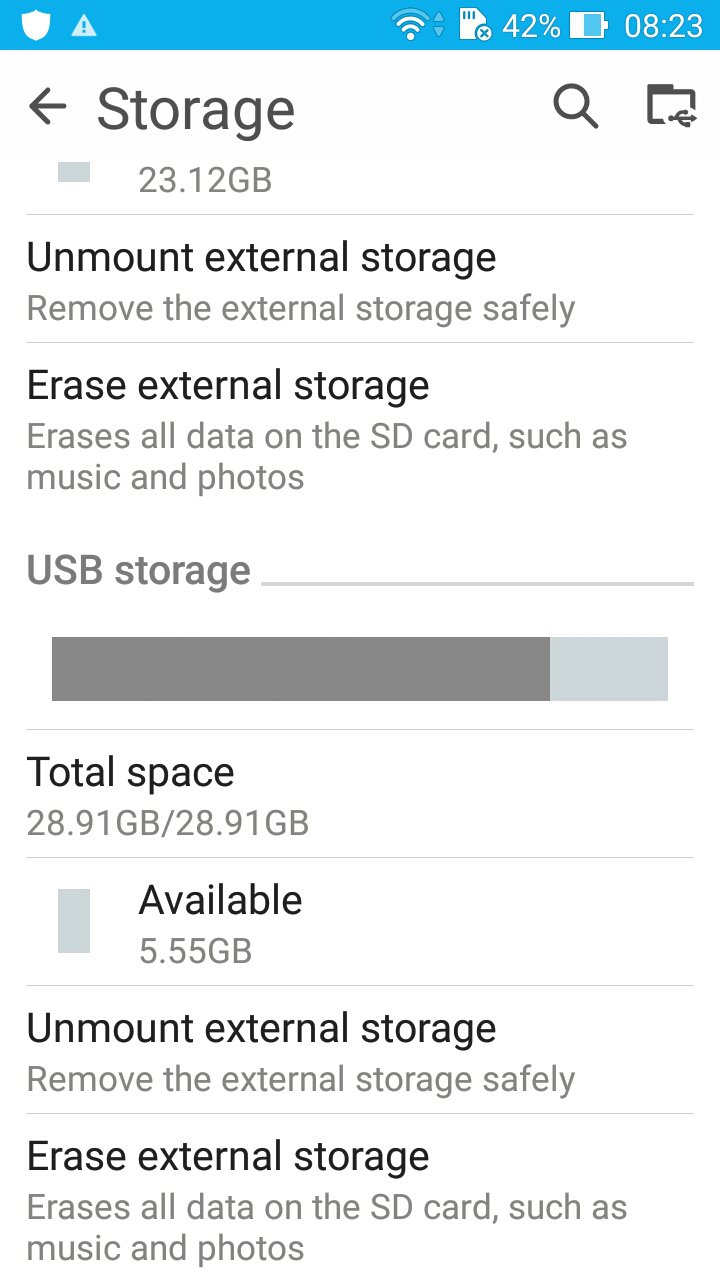
MSM8916-OTG


MSM8916-OTG

1. Vodafone VF-895N
http://specdevice.com/showspec.php?id=6b28-515b-ffff-ffffb104159b

Communications
Phone GSM; Net: HSPA
WiFi wlan; IEEE 802.11 b/g/n; Qualcomm 8916 Snapdragon 410; AP Mode
USB Host Yes
Bluetooth Bluetooth 4.0
GPS Yes


2. UtorCase for Vodafone Smart prime 6 and Xbox or Playstation controller
http://utorcase.com/devices/vodafone-smart-prime-6#.VrKsj8u2FFQ

Device Image:

Dimensions:
141.7 x 71.9 x 9 mm (5.58 x 2.83 x 0.35 in)
Brand:
Vodafone
USB On-The-Go or USB Host Enabled:
Yes

Keyword:
SMART
Prime
6
Short Name:
VSp6
Sold on SW:
No
Weight (g):
155


3. ASUS ZE500KL / Z00E

Linux localhost 3.10.49-perf-gd1c5ee8 #1 SMP PREEMPT Mon Oct 26 16:13:26 CST 2015 aarch64 GNU/Linux


2016-02-03

lxpanel - Solid color (with opacity)


Solid color (with opacity)

Solution: install "clearlooks-colors" package:
1. Use background AND font color:
2. Don't use background AND don't use font color:
http://forum.slitaz.org/topic/slitaz-next/page/3#post-41493

Try:

1. Download and boot slitaz-rolling-core64-20160124.iso 2016-Jan-24
https://goo.gl/jyJHOX

2. CLICk ‘Solid color (with opacity)’


----

Distro: rolling-core64
http://cook.slitaz.org/cookiso.cgi?distro=rolling-core64

Description: 64 bits kernel with a fully featured 32 bits desktop.

Summary

Build time : 738s ~ 12m
Build date : 20160131
Packages : 291

Rootfs size : 188.4M
ISO image size : 52.0M

Cookiso log

Cookiso started: 2016-01-30 23:57
Creating flavor core64.. Done ]
[..]
Installing package: gtk+-2.24.24.tazpk Done ]
Installing package: gtk-clearlooks-2.20.2.tazpkgsed: /home/slitaz/distro/rootfs/usr/share/themes/SliTaz*/gtk-2.0/gtkrc: No such file or directory
sed: /home/slitaz/distro/rootfs/usr/share/themes/SliTaz*/gtk-2.0/gtkrc: No such file or directory
[ Done ]
Installing package: clearlooks-colors-2.22.tazpk Done ]
Installing package: clearlooks-compact-1.5.tazpk Done ]

Installing package: gtkdialog-0.8.2.tazpk Done ]
Installing package: gtkmm-2.24.4.tazpk Done ]